
RHPDS instructions for OptaWeb Vehicle Routing
Video instructions
Written instructions
Using RHPDS
Log in at https://rhpds.redhat.com/. If you don’t have an account follow instructions at the login page. Upon successful login you’ll see the RHPDS landing page:
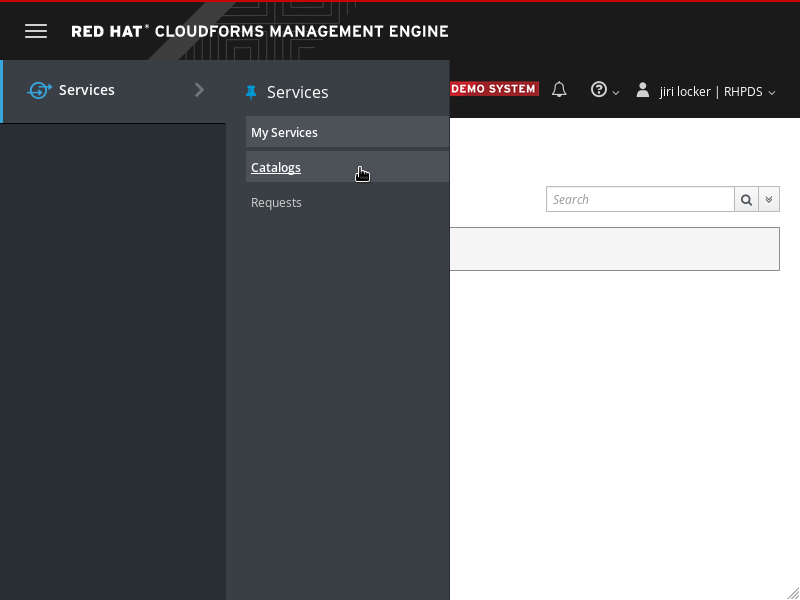
Open service catalog using the left side navigation menu.
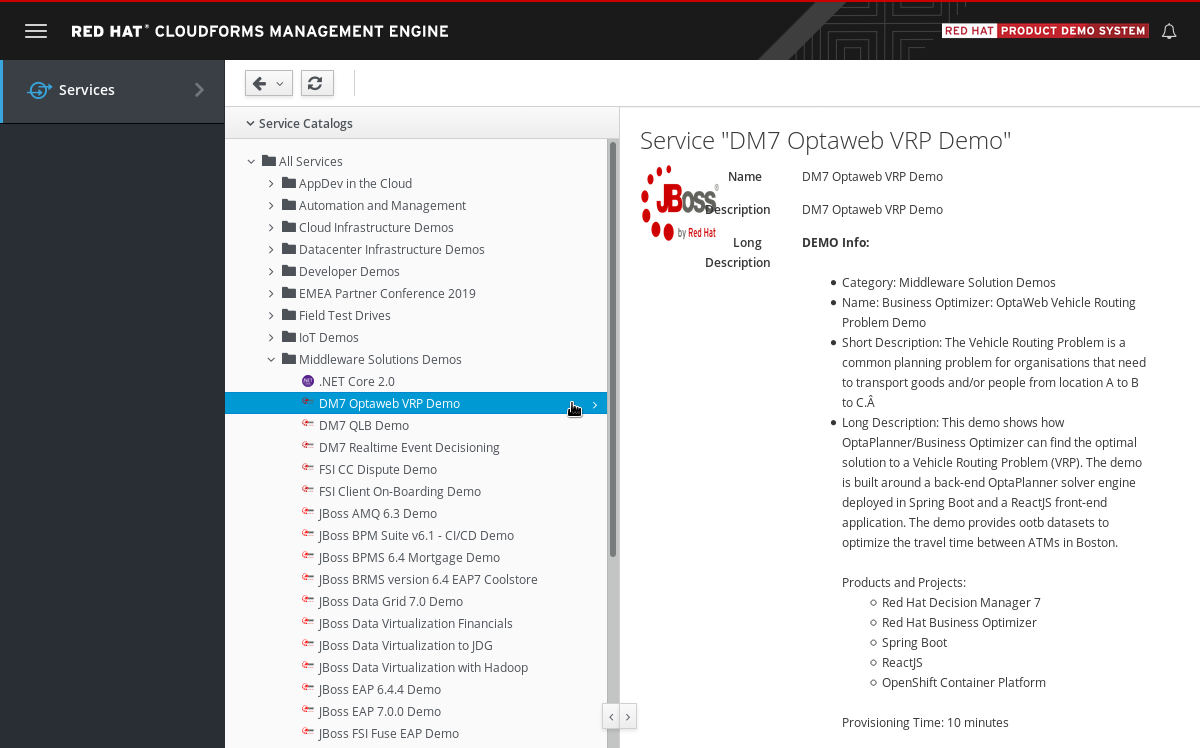
Expand Middleware Solutions Demos folder and select DM7 OptaWeb VRP Demo catalog item.
Read the catalog item description and open the link to a usage guide that will walk you through the demo once it is provisioned.
Click Order button at the bottom of the service details section (not visible on the screenshot above). You’ll be presented with an ordering form:
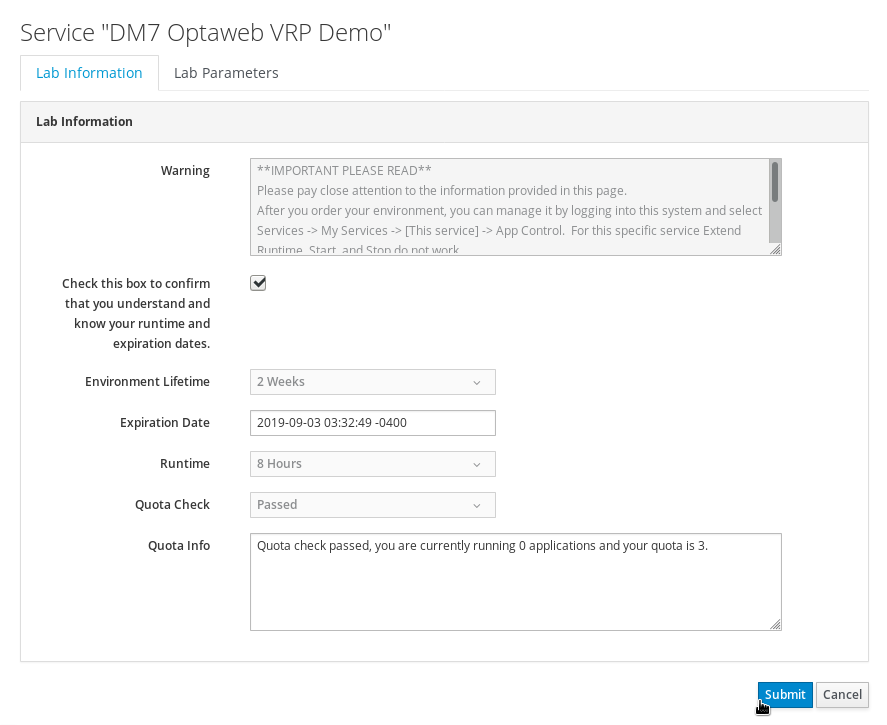
Fill in the form and submit it. You’ll be taken to a request list page. Wait until the request is approved. This should happen automatically within a few seconds and you’ll be notified in the management console.
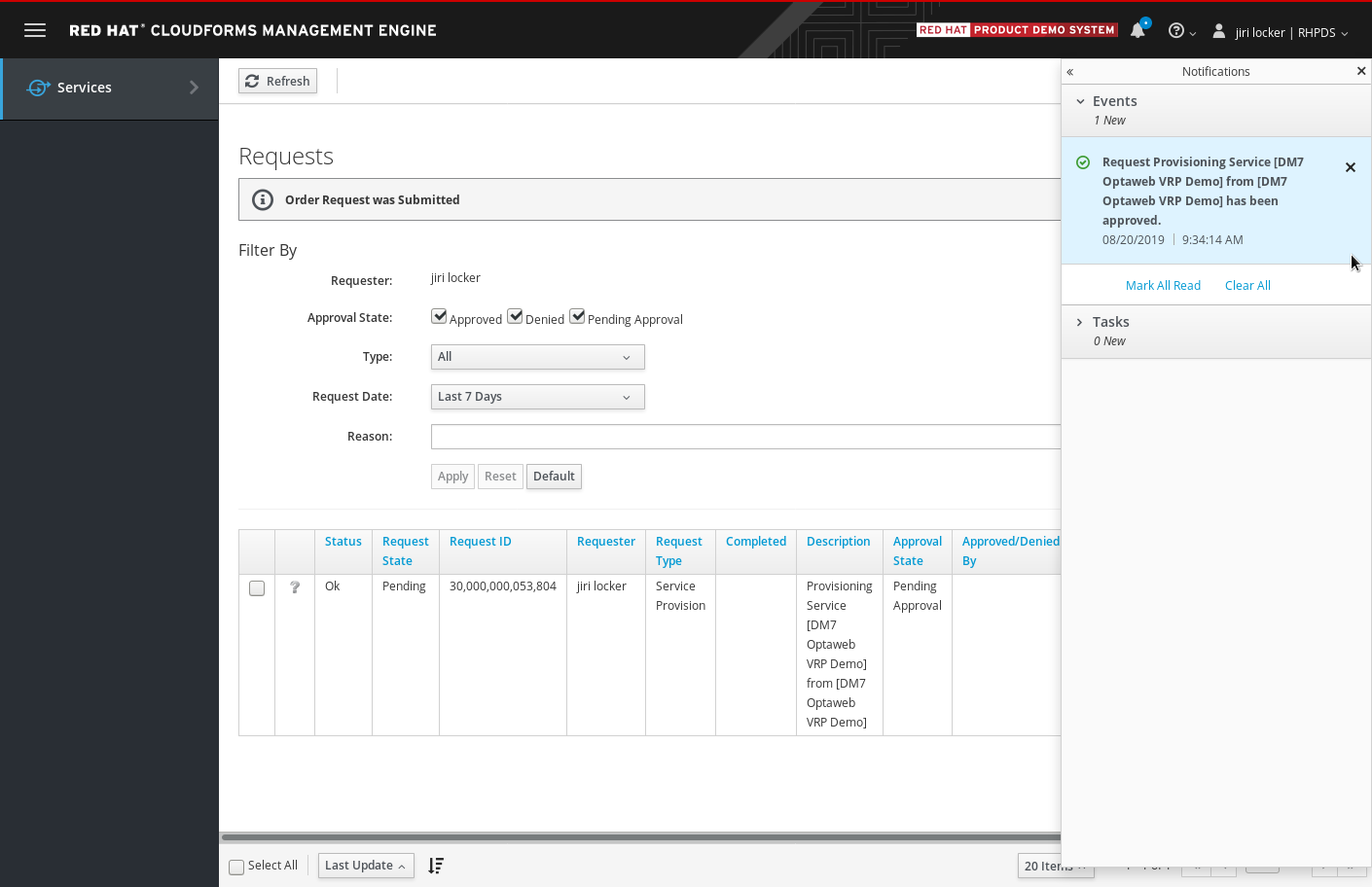
At this point, provisioning of an OpenShift cluster with the demo will start. You’ll be notified about the progress several times via email. The environment should be provisioned in about 10 minutes. Wait for a final confirmation with a subject Your shared environment <id> on Red Hat Product Demo System has completed deployment.
In this final email, you’ll receive a URL of the cluster. Open the cluster URL in your web browser and log in using your OPENTLC credentials.
Once you’ve logged into the OpenShift environment, open the optaweb-vehicle-routing-GUID project (GUID is a random string unique for each ordered demo). Then open the Networking section on the left hand side menu and click Routes.
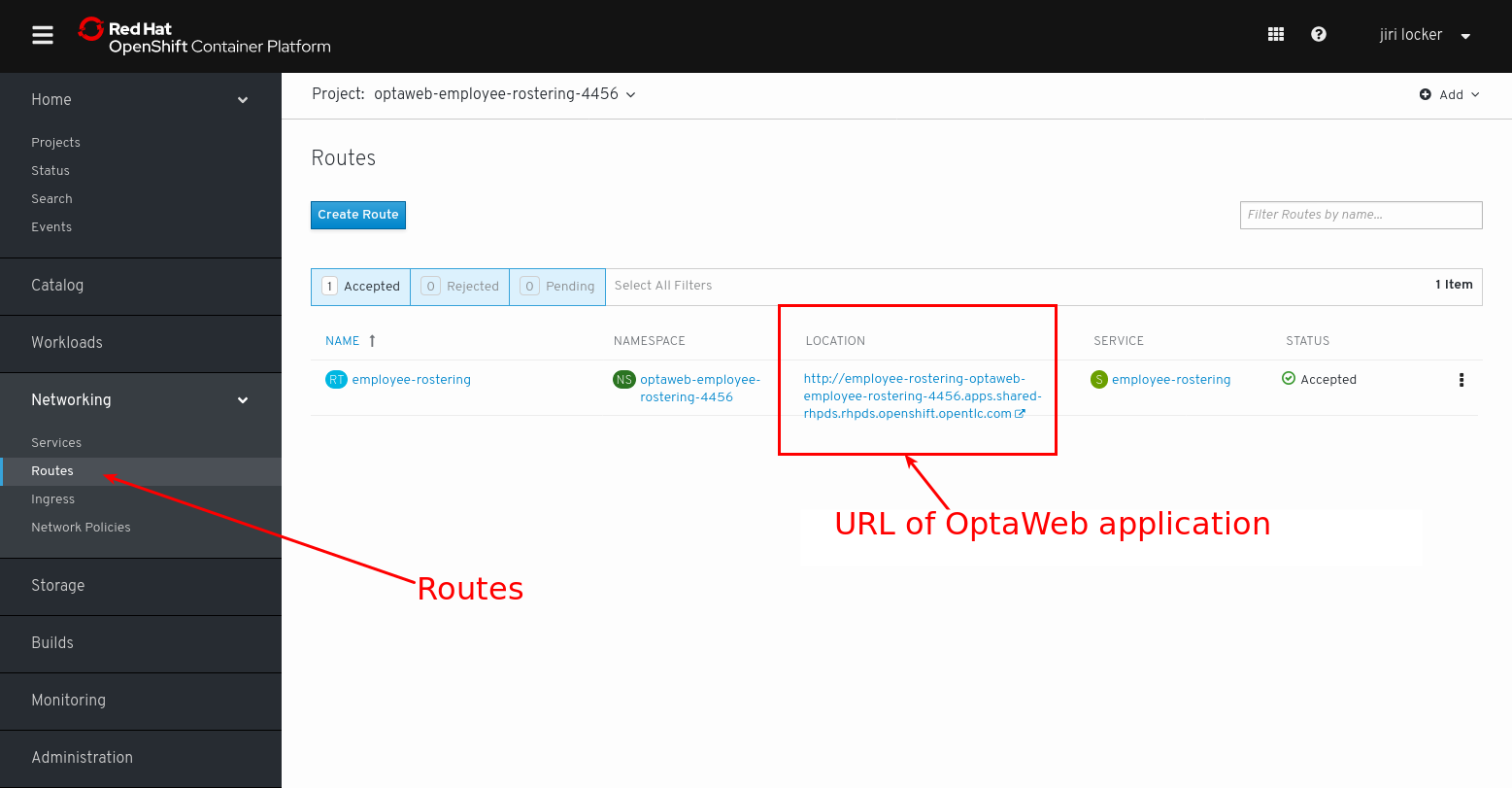
Follow the walk-through document you have previously opened from the catalog item description.
-
Wed 8 December 2021
Want to talk to the experts? Red Hat offers certified binaries with enterprise consulting. Contact optaplanner-info for more information.
-
Brno, Czech Republic (virtual) - Fri 28 January 2022
- Artificial Intelligence on Quarkus: I love it when an OptaPlan comes together by Geoffrey De Smet
-
Stockholm, Sweden - Mon 7 February 2022
- AI maintenance scheduling with OptaPlanner on Quarkus by Geoffrey De Smet
-
Tue 26 October 2021
Radovan Synek
-
Thu 14 October 2021
Walter Medvedeo
-
Tue 12 October 2021
Christopher Chianelli
-
Tue 5 October 2021
-
Wed 15 September 2021
Geoffrey De Smet
-
Thu 19 August 2021
Lukáš Petrovický
-
Mon 26 July 2021
-
AI lesson scheduling on Quarkus with OptaPlanner
Thu 18 November 2021
-
Maintenance scheduling
Fri 12 November 2021
-
Optimized order picking in warehouses and supermarkets
Tue 26 October 2021
-
A modern OO/FP constraint solver
Tue 14 September 2021
-
Business processes task optimization in Kogito
Tue 7 September 2021
-
School timetable optimization
Mon 6 September 2021
-
Schedule incoming calls real-time
Mon 23 August 2021